

 Admin
Every site account can hold up to 10 game accounts: your main plus 9 extras, each with a short label such as "Buffer" or "Merchant". Up to 4 game windows can run at the same time on one PC.
1. Who can use it
- Every member with a site account; extra accounts are free.
- A banned account can't add new ones.
- Extras carry your main account's email and need no password of their own.
2. Create an extra game account
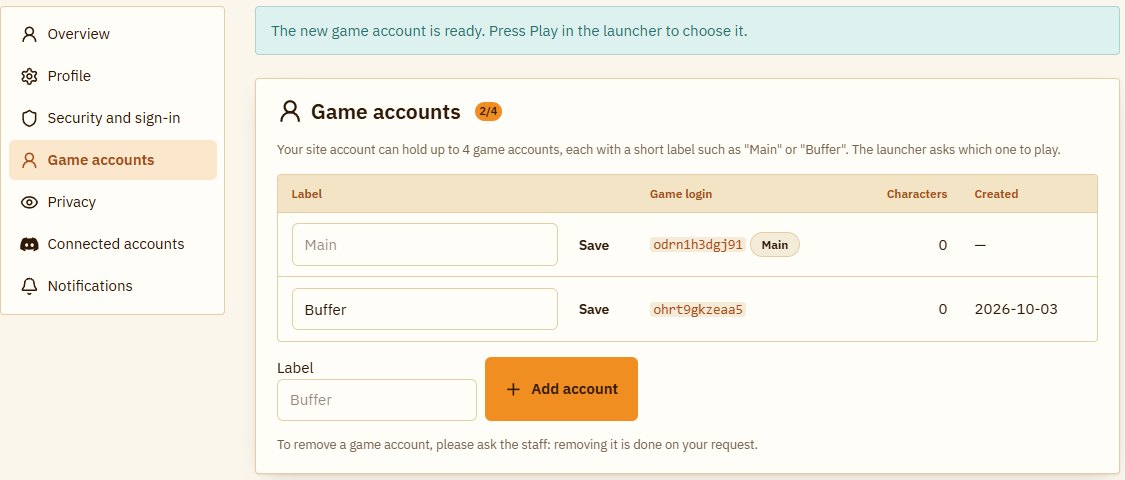
- Sign in on the site and open My account → Game accounts.
- Type a short label (up to 24 characters, one line) and press "Add account".
- The new account shows up in the list at once. You can rename any label at any time, your main's too.
3. Play with one of them
- Start the launcher as usual (it updates itself).
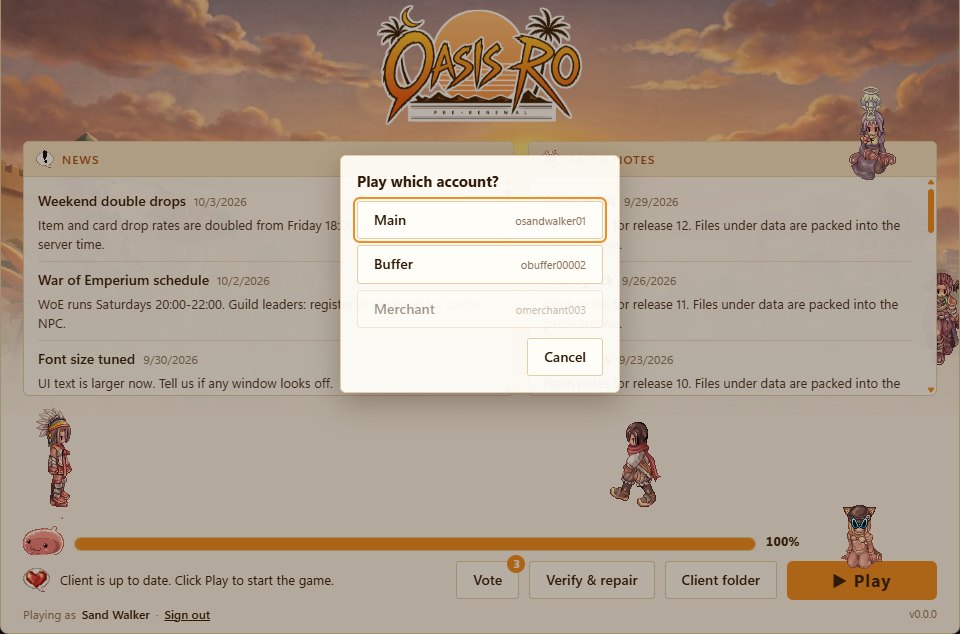
- Press Play: a list of your accounts and their labels appears, including one you added while the launcher was open.
- Pick one and the game opens with it, no password needed.
To play another account at the same time, start the launcher again and pick a second one, up to 4 windows on one PC.
4. The limits in numbers
- 10 accounts per member, your main included.
- 3 additions in any 24 hours. Removing an extra counts toward those 3 as well.
- 4 game windows at once on one PC, whichever accounts they are.
- Labels up to 24 characters.
Example: you add 3 accounts today and now have 4. The next addition opens 24 hours after the first one, and two days later you can reach 10. You play 4 of them at once on your PC.
5. Privacy
In My account → Privacy you can hide the characters of all your accounts from the site: rankings, the PvP ladder, character pages, your forum profile and guild member lists, so nobody links your main to your extras. The change shows at once. Guild masters have a switch on the guild page to show the member list to the guild only.

6. Removing an extra
- Staff remove an extra when its owner asks; a main can't be removed.
- Before that, its characters and storage can be moved to another of your accounts, if it has enough free slots.
- The account must be out of the game, and its characters must leave their guild and party first.
7. Good to know
- You still sign in to the site with the same email and password; extras play through the launcher only.
- Your main character and guild applications can use characters from any of your accounts.
- Each game account has its own Kafra storage.
8. FAQ
Can I play an extra on another PC?
Yes, from the launcher on that PC once it is signed in to the same account.
The site says I've added too many today?
The limit is 3 additions in any 24 hours; you can add again once they've passed.
A fifth window won't log in?
One PC can run 4 game windows at once.
Can a character move to another of my accounts?
Yes, ask the staff: between your own accounts, into a free slot.